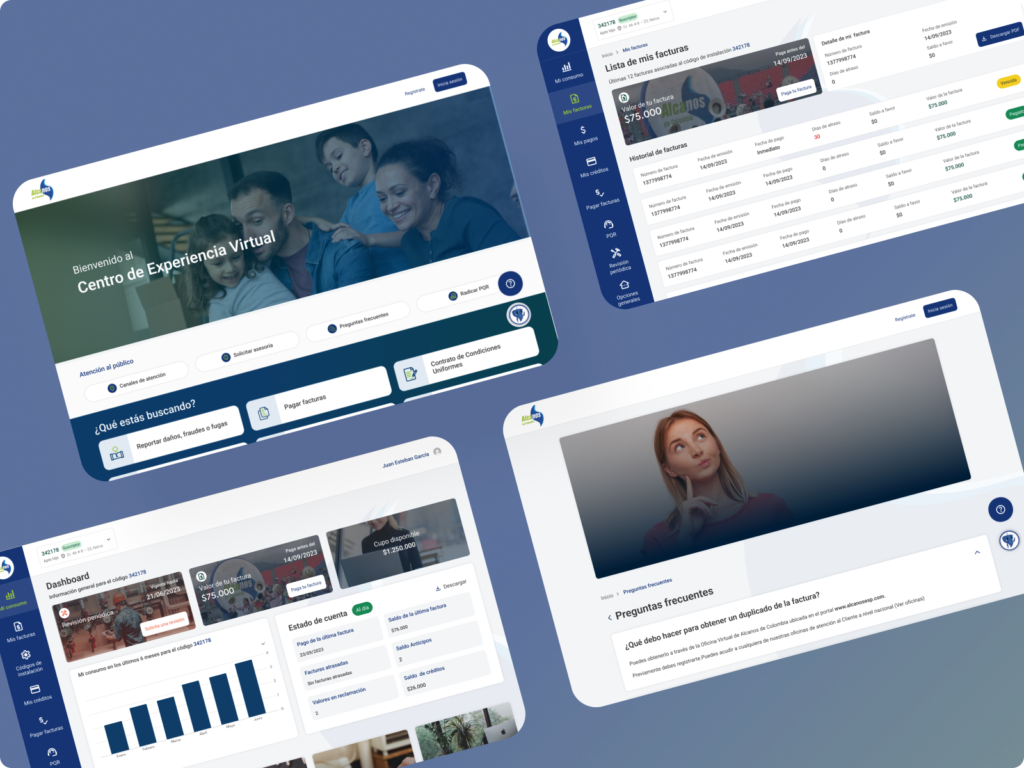
Alcanos de Colombia distributes and sells natural gas in Tolima, Huila, Caquetá, Cauca, Cundinamarca, Caldas, and Nariño. Its Virtual Experience Center replaces the old virtual office: a portal where current and prospective customers handle inquiries, payments, reports, and service requests.
🖌️ Figma
📋 Notion
Project type
Customer service portal
Role
UX/UI design
Outcome
Live at cev.alcanosesp.com.
Full design for desktop and mobile: home page, sign-up, user dashboard, bills, payments, and FAQs.
The challenge
Turn Alcanos de Colombia’s virtual office into a digital Experience Center: an intuitive, fast platform where people handle their natural gas inquiries and requests on their own. The constraints:
Serve current and prospective customers across seven departments, with very different profiles and needs.
Handle the most common tasks (paying, checking, reporting) without forcing people to create an account.
Give signed-in users a clear view of their usage, bills, and payments.
Goal
An entry point that takes each person straight to what they need.
Self-service inquiries, payments, and reports without signing in.
A user dashboard for more advanced requests: certifications, inspections, and advice.
The same experience on desktop and mobile.
My role
I designed the platform as a freelance designer for OL Software, whose client was Alcanos:
UX: platform structure and self-service flows, from a quick lookup to the user dashboard.
UI: screen design in Figma for desktop and mobile.
Documentation: project organization in Notion.
Key decisions
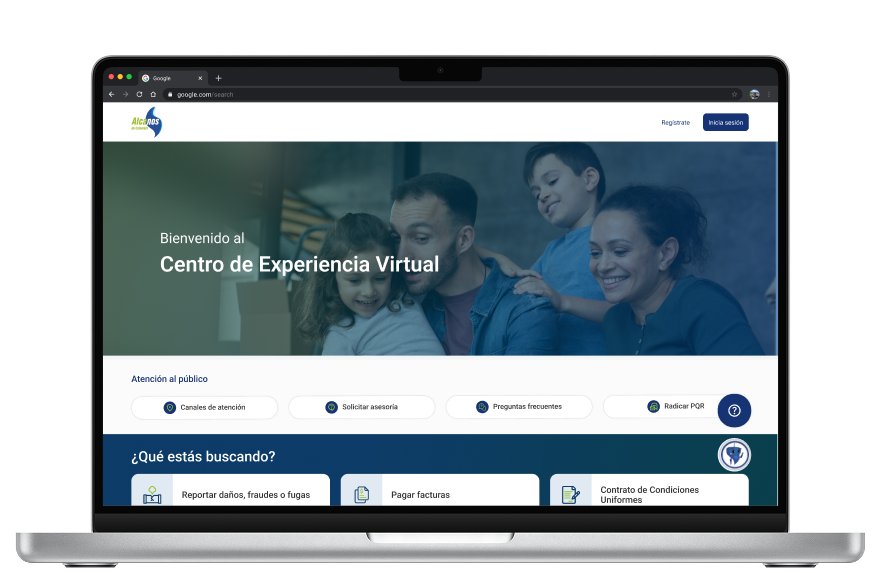
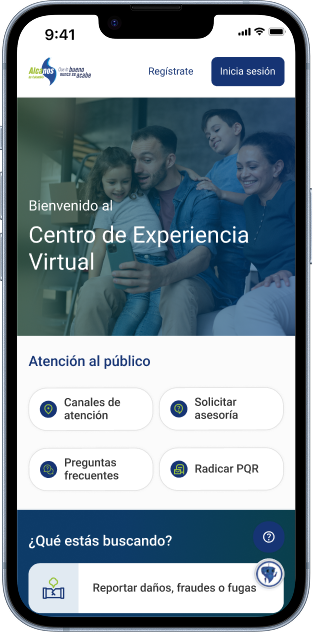
Start with intent: the home page asks “What are you looking for?” and lists common tasks, like reporting damage, fraud, or leaks, paying bills, or checking the service contract.
Self-service without an account: service channels, advice, FAQs, and complaints and requests are right there under “Customer service,” no sign-in needed.
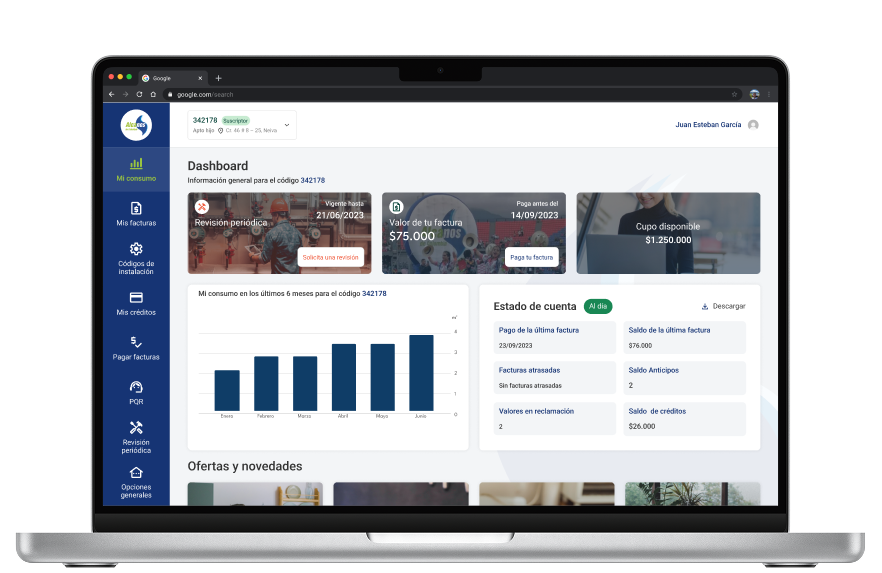
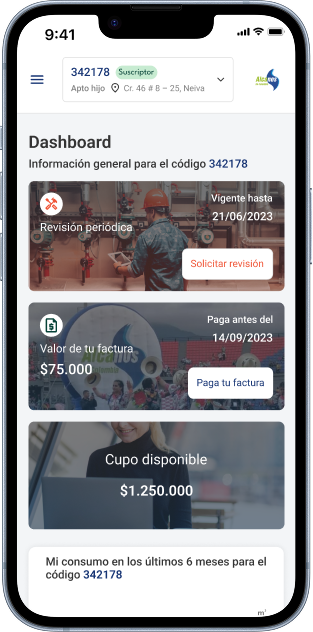
Everything built around the installation code: the dashboard sums up the periodic inspection, the bill amount, available credit, usage over the last six months, and the account status.
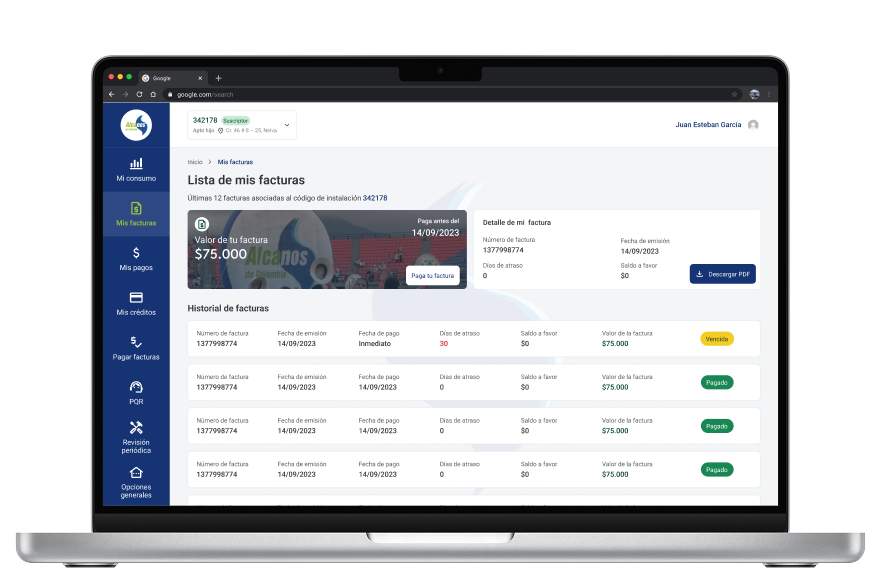
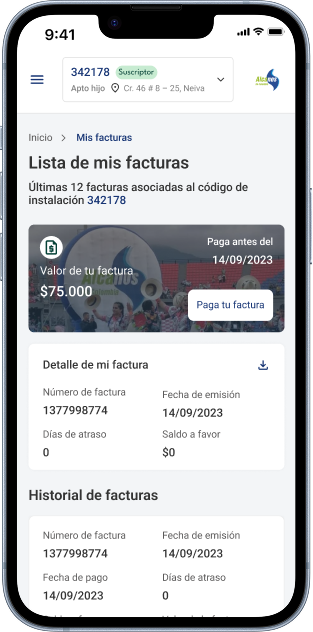
Statuses you can read at a glance: each bill shows whether it’s overdue or paid, with a PDF download and a separate payment history.
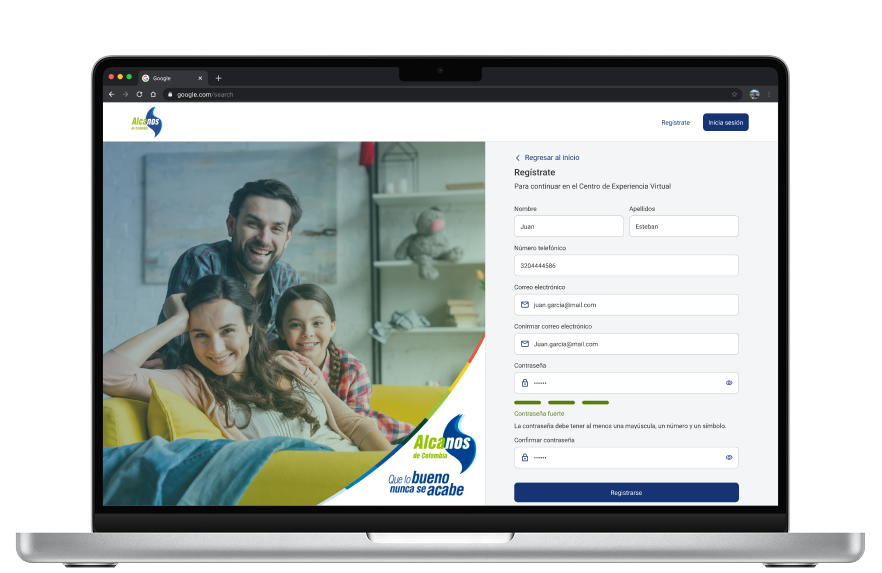
Sign-up with real-time help: the form shows in real time whether the password is strong enough.
Solution
Home: welcome message, customer service options, and shortcuts to common tasks.
Sign-up: form with password validation.
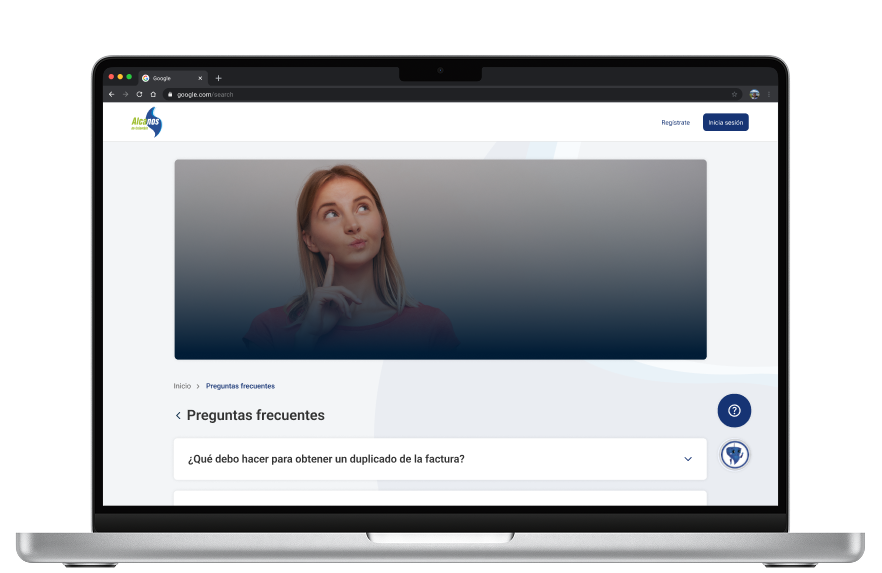
FAQs: answers organized in expandable sections.
User dashboard: side menu with usage, bills, payments, credit, complaints and requests, and periodic inspection.
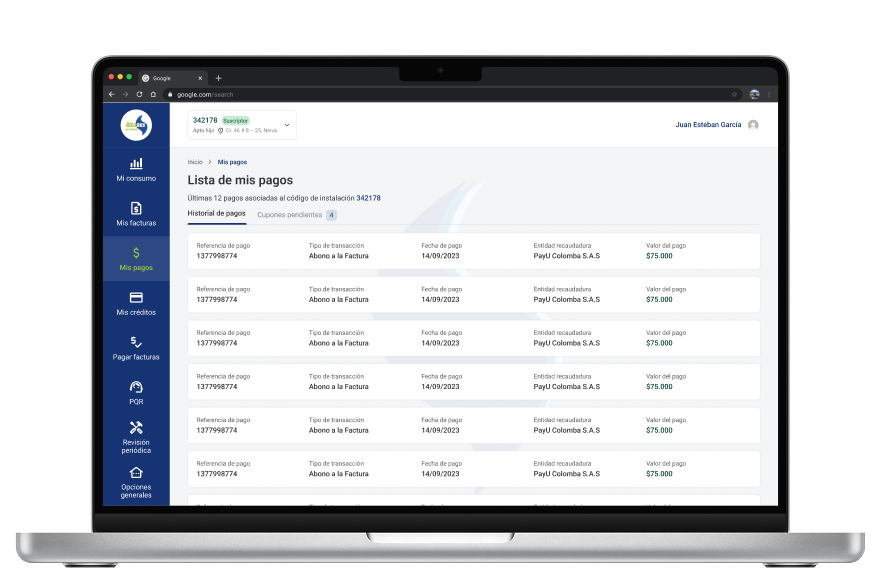
Bills and payments: recent bills with their status and details, plus a payment history with pending payment slips.
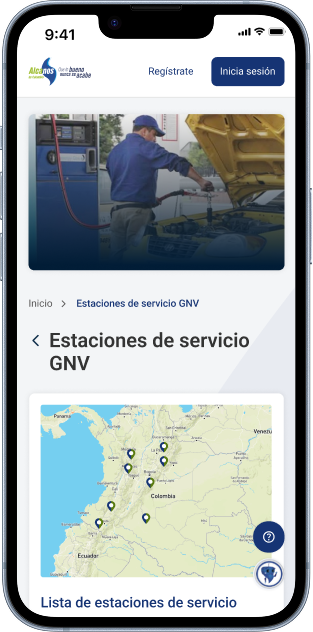
Mobile: the same features as cards, plus a map of natural gas vehicle (NGV) stations.
Results
The Virtual Experience Center is live at cev.alcanosesp.com, with the structure from the design: welcome message, customer service options, and shortcuts to common tasks.
The design covers desktop and mobile, from the public home page to the user dashboard.
Lessons learned
For a utility, the urgent things (reporting a leak, paying a bill) need to be one click away, with no account required.
Organizing information around the installation code puts usage, bills, and payments in the same context.
With such a broad audience, plain language and visible statuses matter as much as the interface.
Key screens
Home page, sign-up, FAQs, user dashboard, bills, and payment history.
Responsive
On mobile: home page, NGV stations, bills, and user dashboard.